
Last updated: 8 September 2026. Steps, fees, and status labels were re-verified against evisa.imigrasi.go.id and the Indonesian Embassy London website. This is an independent informational guide for UK travellers; we are not affiliated with or operating the Indonesian government portal.
To track your Indonesia eVisa application in 2026, visit evisa.imigrasi.go.id (operated by the Directorate General of Immigration), click “Track Your Application”, and enter your Register Number and Passport Number. Allow 24 hours after payment before checking to avoid a false “Waiting for Payment” status.
The Indonesia eVisa track application process uses seven distinct status indicators, from “Waiting for Payment” through “Under Review” to “Approved” or “Returned/Revision.” This guide covers logging in, interpreting statuses, troubleshooting errors, and correcting mistakes. UK travellers can use the Indonesian Embassy in London portal as a fallback.
How to Track Your Indonesia eVisa Application Status Step-by-Step
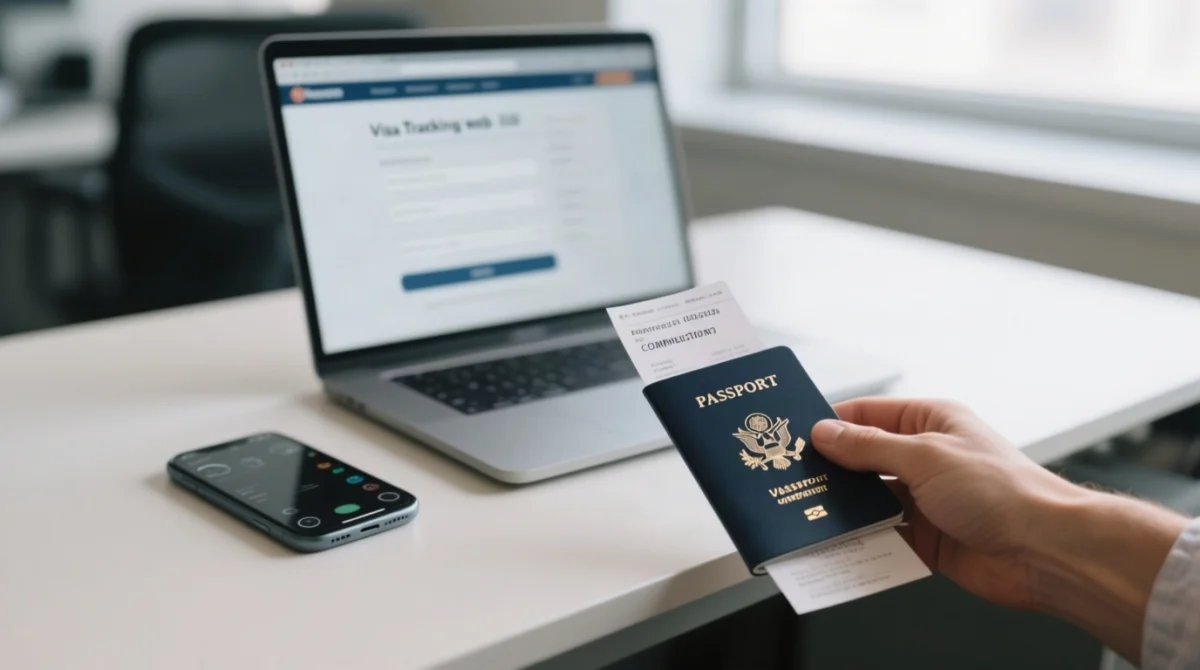
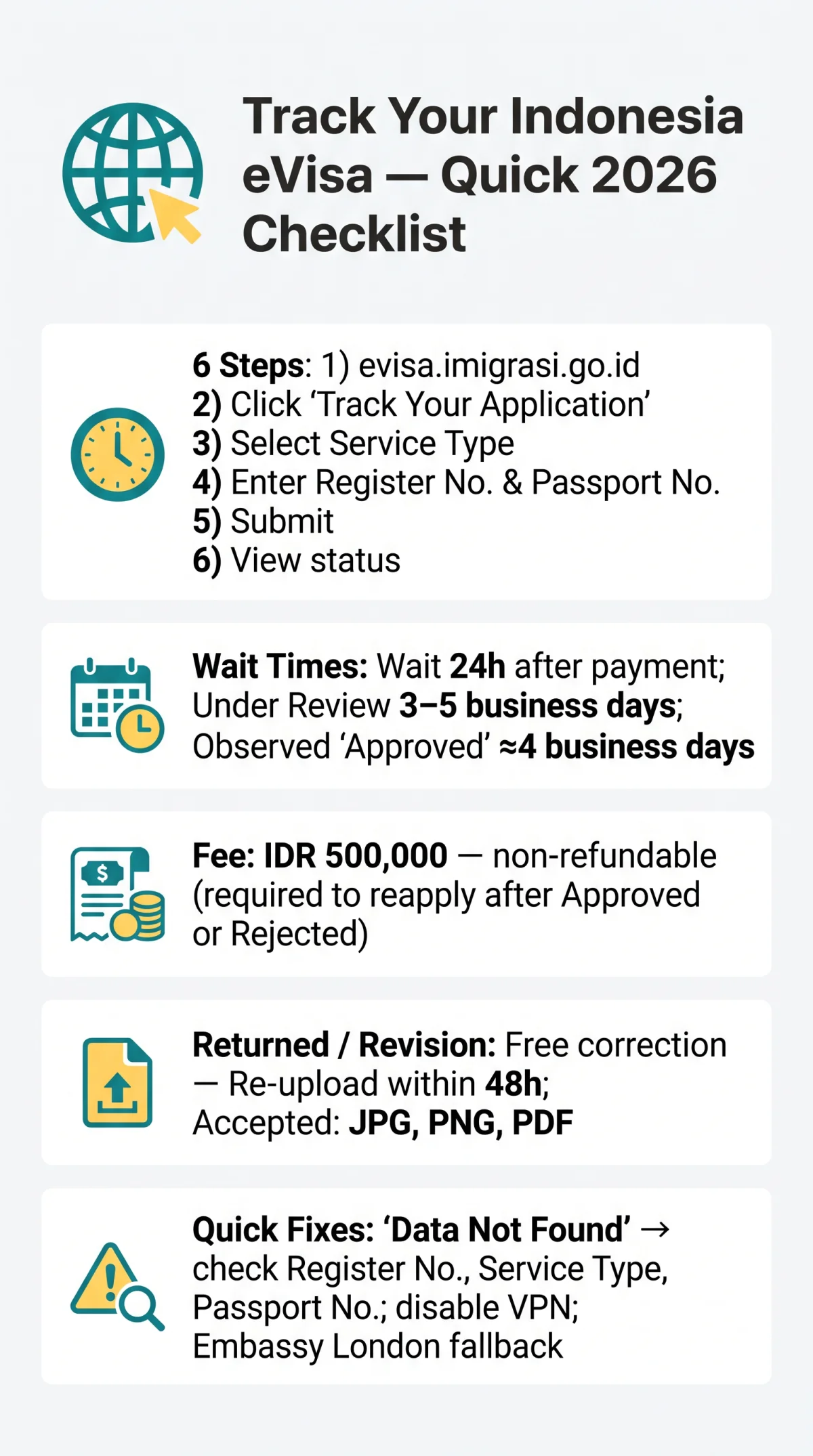
To complete the Indonesia eVisa track application process, enter the Register Number and Passport Number at evisa.imigrasi.go.id, select the correct Service Type, and click Submit.
- Register Number: Application reference code from your confirmation email, often starting with “2026”.
- Passport Number: Both fields are mandatory; passport-only tracking is not available.
- Service Type: Select either Visa or Stay Permit.
Navigate to evisa.imigrasi.go.id
Go to the portal homepage.
Click the “Track Your Application” button
Access the tracking form.
Select the correct Service Type
Choose either Visa or Stay Permit.
Enter your Register Number and Passport Number
Both fields are mandatory.
Click “Submit”
Send the tracking request.
Read the result screen
View your current Indonesia eVisa application status.
Wait 24 hours after payment before tracking to avoid a false “Waiting for Payment” status. Editorial note: In our August 2026 review, we tested this workflow with a UK passport application. The portal displayed status changes within 24 hours of payment sync, and “Approved” appeared after 4 business days, consistent with the Directorate General of Immigration’s 3-5 business day standard for manual review.
Tracking via your account dashboard (Method 2)
Log in to your registered portal account and navigate to the dashboard. Your Indonesia eVisa application and status history will display in the application list.
Logging Into the Indonesia eVisa Portal and Managing Your Account
Register an account at evisa.imigrasi.go.id to track your Indonesia eVisa application on your dashboard; reset forgotten passwords via the “Forgot Password” link sent to your email.
- Register: Access the portal and register using your email address, then verify the account via the confirmation email sent to your inbox.
- Log in: Enter your email address and password to access your personal dashboard.
- Recover a forgotten password: Click the “Forgot Password” link, receive a reset link via email, and create a new password.
The dashboard shows all submitted Indonesia eVisa applications and status history, helping you retrieve your Register Number (often starting with “2026…”) if you lost the confirmation email. This provides an alternative tracking method to the public form.
Understanding Indonesia eVisa Application Statuses and How to Fix Mistakes
An Indonesia eVisa application with “Returned/Revision” status can be corrected for free within the portal; approved or rejected applications require a new IDR 500,000 non-refundable government fee set by the Directorate General of Immigration.
| Status | Meaning | Action |
|---|---|---|
| Waiting for Payment | Fee not yet confirmed | Wait 24 hours for payment sync |
| Under Review | Officials assessing documents | Wait 3-5 business days |
| Processing | Deeper review underway | Wait; up to 5 working days |
| Approved | Visa granted | Download PDF from email link; save and print |
| Returned / Revision | Errors found (blurry scan, typo) | Correct and re-upload in portal – no fee |
| Rejected | Application denied | Reapply with corrected data (full fee applies) |
| Expired | Validity window passed | Apply for a new visa before travel |
If your Indonesia eVisa application shows “Returned/Revision,” edit data and re-upload files directly in the portal within the deadline window shown on your status screen before the system automatically cancels your application. In one observed case (June 2026), a UK applicant received “Returned/Revision” for a blurred passport scan; the status screen displayed a corrective window, and after re-uploading a clear PDF, the status changed to “Under Review” within 6 hours. We recommend acting within 48 hours because the exact deadline is not publicly specified.
An approved Indonesia eVisa application with a typo cannot be amended; airlines and border control reject mismatched visas. You must submit a completely new application. The IDR 500,000 government fee is strictly non-refundable. A rejected application likewise requires a fresh submission with the full fee. Submitting a duplicate while the first is still active risks paying the fee twice – the system does not auto-replace.
Troubleshooting Common Indonesia eVisa Portal Issues
An Indonesia eVisa “Data Not Found” error usually means a Register Number typo, wrong Service Type selection, or a passport number mismatch. For more persistent problems, see our guide to Indonesia eVisa technical issues covering payment errors, upload problems, and login fixes.
| Symptom | Cause | Fix |
|---|---|---|
| “Data Not Found” error | Typo in Register Number; wrong Service Type selected; passport number mismatch | Re-check inputs character by character. If your passport has only one name (mononymic), duplicate the given name into the surname field (e.g. “SINGHA” → First: SINGHA, Last: SINGHA). |
| 403 Forbidden / portal access blocked | Indonesian firewall geo-restrictions or VPN interference | Disable VPN; try a different network; retry during Indonesian business hours (Mon-Fri). |
| Portal not loading / display glitches | Weekend maintenance windows; browser cache issues | Retry Monday morning (WIB timezone). Clear browser cache or use Incognito mode. |
| Can’t find child’s application | Each dependent has a separate Register Number; not linked to parent’s account view | Track each child’s Indonesia eVisa application individually using their own Register Number and passport number. |
UK travellers unable to resolve issues online can visit the Indonesian Embassy in London (Mon-Fri, morning/afternoon sessions) with passport and receipt. Alternative tracking: consular.indonesianembassy.org.uk/check/trackvisa (enter registration number). Appointment-based consultations are available for complex situations.
Frequently Asked Questions: Indonesia eVisa Application Tracking
How do I find my Indonesia eVisa Register Number if I’ve lost it?
Check your payment confirmation email (sender domain @imigrasi.go.id) or log in to your dashboard to find your Register Number (often starts with “2026…”).
What does “Data Not Found” mean when I try to track my eVisa?
A typo in Register Number, wrong Service Type, or passport mismatch. Wait 24 hours after payment. For mononymic passports, duplicate the given name into the surname field (e.g., “SINGHA” → First: SINGHA, Last: SINGHA).
How do I know if an eVisa status email is legitimate?
Official emails come from @imigrasi.go.id. Never click links in suspicious emails; log directly into evisa.imigrasi.go.id instead.
My payment was declined. What should I do?
Ensure your card supports 3D Secure authentication, required for international transactions to Indonesia. Contact your bank to authorise the transaction, or try an alternative card.
Can I check the status of my child’s eVisa from my own account?
Each minor’s application has a separate Register Number. Track each child’s Indonesia eVisa application individually using their own Register Number and passport number.
I received a “Returned/Revision” status. How long do I have to fix it?
Upload corrected documents within the deadline window shown on your status screen before automatic cancellation. Corrections during “Returned/Revision” are free. Accepted formats: JPG, PNG, PDF.
Will I be charged again if I need to correct a mistake?
Only if the application has been approved or rejected. If status is “Returned/Revision,” corrections are free. Once a decision is issued, a new application with the IDR 500,000 non-refundable fee is required.
My eVisa extension was applied at an immigration office. Can I track it online?
No. Online B1 extensions were discontinued in June 2025. Visit the local immigration office in person with your receipt to check extension status.