
Last updated: 10 September 2026 | Published: 10 March 2026
The Indonesia eVisa approval PDF is a digital document emailed to you after approval. It contains your personal details, a QR code, and a 90-day validity window. You can show it on your phone or print a backup.
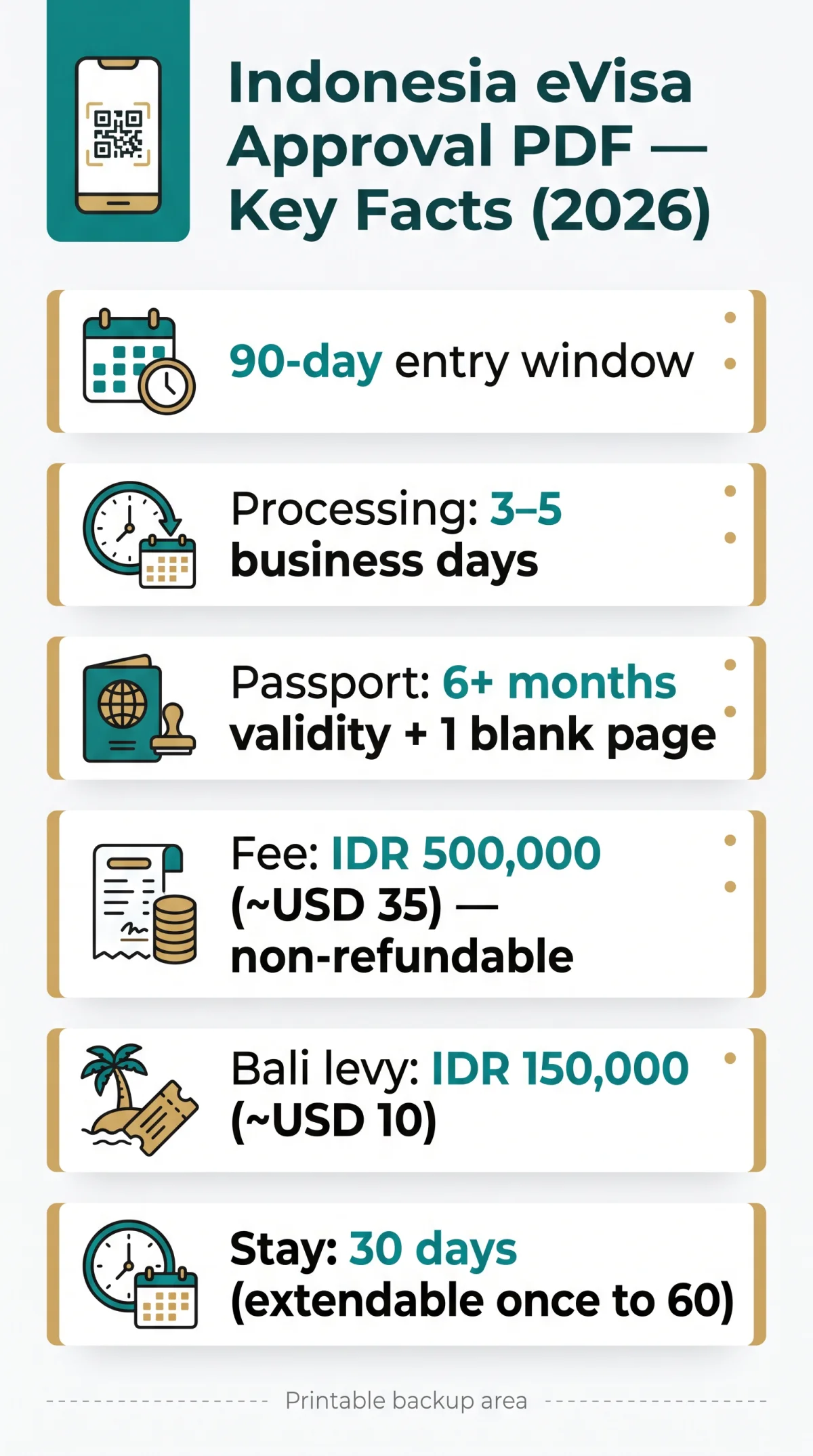
The letter is valid for 90 days from issue (entry window, not stay). Your stay is 30 days, extendable once to 60 days. It is a single-entry visa (code B1).
Processing takes 3 to 5 business days through the immigration portal. The government fee is IDR 500,000 (~USD 35), non-refundable, payable via JCB card through the SIMPONI portal. Your passport must be valid for at least 6 months from arrival with one blank page. Bali arrivals also require a Bali Tourist Levy of IDR 150,000 (~USD 10 / ~£8) via lovebali.baliprov.go.id.
How You Receive Your Indonesia eVisa Approval PDF
The approved Indonesia eVisa is delivered as a PDF download link sent to your registered email within 3 to 5 business days.
The Indonesia eVisa approval PDF arrives via an automated email from the Directorate General of Immigration once your application clears review. You can track your status by logging in to evisa.imigrasi.go.id using your confirmation code.
What to Do If You Miss the Email
If the email is missing, check spam or log in to evisa.imigrasi.go.id with your confirmation code to download the Indonesia eVisa approval PDF directly. You can also contact the Directorate General of Immigration via the “Let’s Ask Mido!” virtual assistant on the same portal. Their address is
HR. Rasuna Said Blok X-6, Kav 8, Kuningan, South Jakarta.
What the Approval Letter Looks Like and How the QR Code Works
The Indonesia eVisa approval PDF displays the Garuda Pancasila emblem, your photo, full name, passport number, and visa code B1 (Tourism, Family Visit and Transit). The document confirms a 90-day validity window from issue, a 30-day initial stay extendable once to 60 days maximum, and single-entry access.
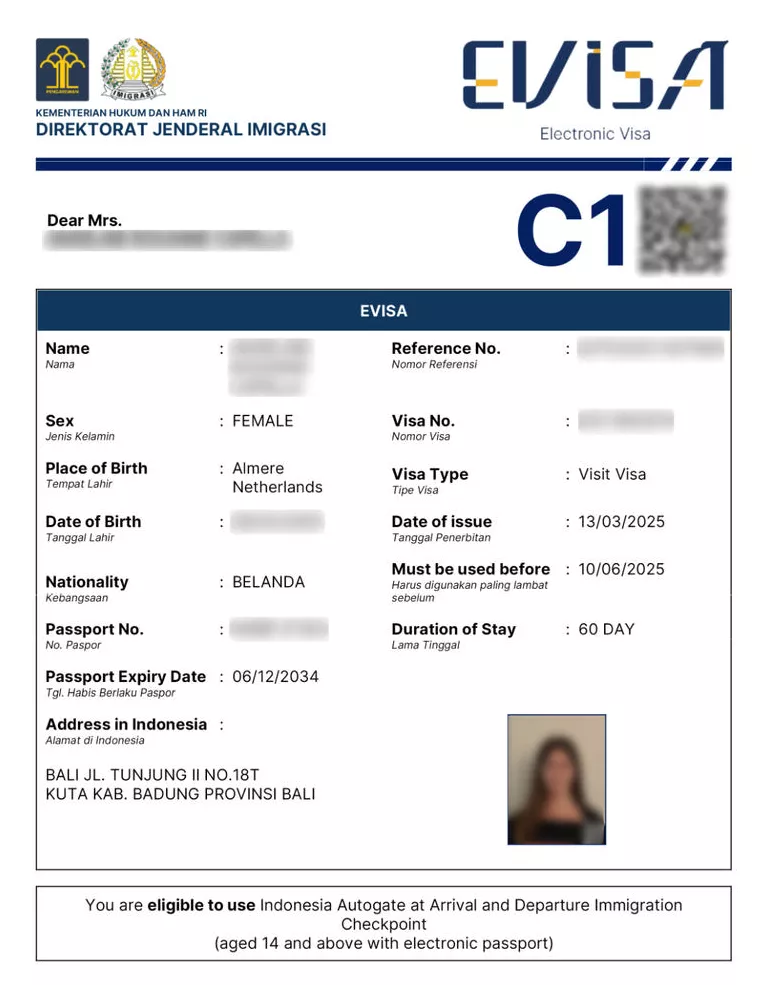
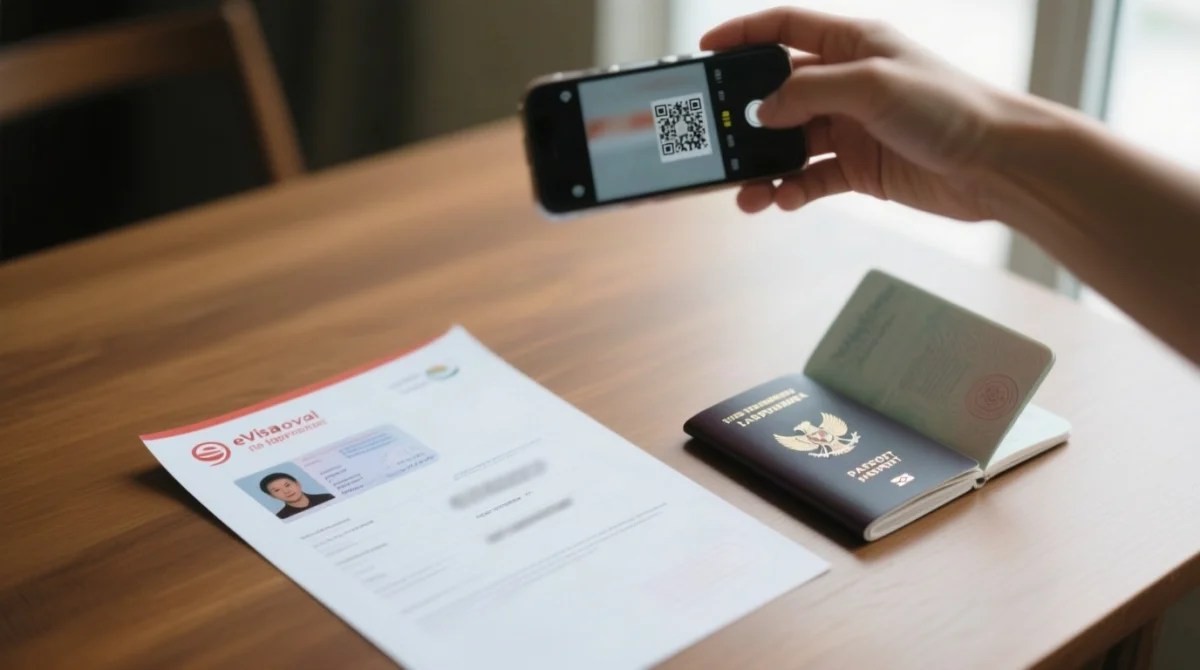
The QR code on the Indonesia eVisa approval PDF redirects to an Immigration verification page confirming the visa is genuine. Officers scan it at manual passport control, not at e-gates. You can self-verify your Indonesia eVisa approval PDF by scanning the QR code with your phone before departure to ensure the data matches.
Data Fields to Check Before You Travel
- Full legal name (matching your passport exactly)
- Passport number and nationality
- Visa category code (B1)
- Issue date and 90-day validity window
- QR code and document serial number
How to Save and Print Your Indonesia eVisa Approval PDF
Download the Indonesia eVisa approval PDF from the email link, save it to your device’s local storage, and print a copy on A4 paper at 100% scale.
Download and save locally
Tap the link in the immigration email to download the Indonesia eVisa approval PDF, then save it to the Files app on iOS or My Files on Android. Pin a copy to Google Drive or iCloud for offline access.
Test in airplane mode
Open the saved PDF with your phone’s internet switched off to confirm it loads without a connection before departure.
Print on A4 portrait
Use 100% scale and disable “fit to page” so the QR code is not cropped. Colour printing is preferred because it renders your photograph more clearly, though black-and-white prints are likely accepted at immigration.
Protect the QR code
Do not laminate the printout and never fold the paper through the QR code area, as creases can prevent scanning.
Carry two copies
Pack one printed copy in your carry-on bag and a second in your checked luggage so the Indonesia eVisa approval PDF remains accessible if one is lost.
Digital vs. Printed Copy at Indonesian Immigration
Major Indonesian airports like Jakarta Soekarno-Hatta (CGK) and Bali Ngurah Rai (DPS) accept the Indonesia eVisa approval PDF displayed on your phone, but smaller land and sea borders may require a printed copy.
| Entry Point Type | Phone Accepted? | Printed Copy Needed? |
|---|---|---|
| Major airports (CGK, DPS, SUB) | Yes | Recommended as backup |
| Smaller land/sea borders | Officer discretion | Yes, may be required |
| E-gates | Not scanned | No, e-passport required instead |
| Manual passport control | Yes, officer discretion | Recommended as backup |
All travellers must also complete an Arrival Card via allindonesia.imigrasi.go.id within 3 days before arrival. The Indonesia eVisa approval PDF works in both digital and printed formats, so carry the file on your phone and a paper backup of the Indonesia eVisa approval PDF for smaller entry points.
Indonesia eVisa Approval PDF FAQ
Can I show my Indonesia eVisa approval PDF on my phone instead of printing it?
Yes, at major airports (CGK, DPS) phone is accepted; printed backup recommended for smaller borders.
Is the Indonesia eVisa approval PDF password-protected?
No password required. Opens in any PDF reader. If corrupted, re-download from the email link.
Can I print my Indonesia eVisa approval letter in black and white?
Colour preferred, B&W accepted. Print on A4 portrait at 100% scale, no fit to page.
What should I do if my eVisa approval PDF contains an error?
Contact via evisa.imigrasi.go.id or Mido. Do not edit the PDF. Embassy or consulate in urgent cases. Mismatch may cause denial of entry.
How long is the Indonesia eVisa valid after it is issued?
90 days from issue (entry window). Stay: 30 days, extendable once to 60. Single-entry.
Do I need a printed copy to use the e-gates at Indonesian airports?
E-gates require e-passport, PDF not scanned. For manual control, carry phone plus printed backup.
What happens when immigration scans the QR code on my eVisa PDF?
QR code links to verification page. Officers scan during manual checks. Self-verify before departure.
How early should I apply for my Indonesia eVisa before my trip?
Apply 7 to 10 business days before. Processing 3 to 5 days. Passport: 6 months validity plus 1 blank page.
Visa fees and processing times may change without notice. Always verify the latest requirements on the evisa.imigrasi.go.id portal before applying. Sources: evisa.imigrasi.go.id (Indonesian Directorate General of Immigration eVisa portal); allindonesia.imigrasi.go.id (Arrival Card); lovebali.baliprov.go.id (Bali Tourist Levy).